Small Business Management Software in Quebec: How to Choose the Right Solution
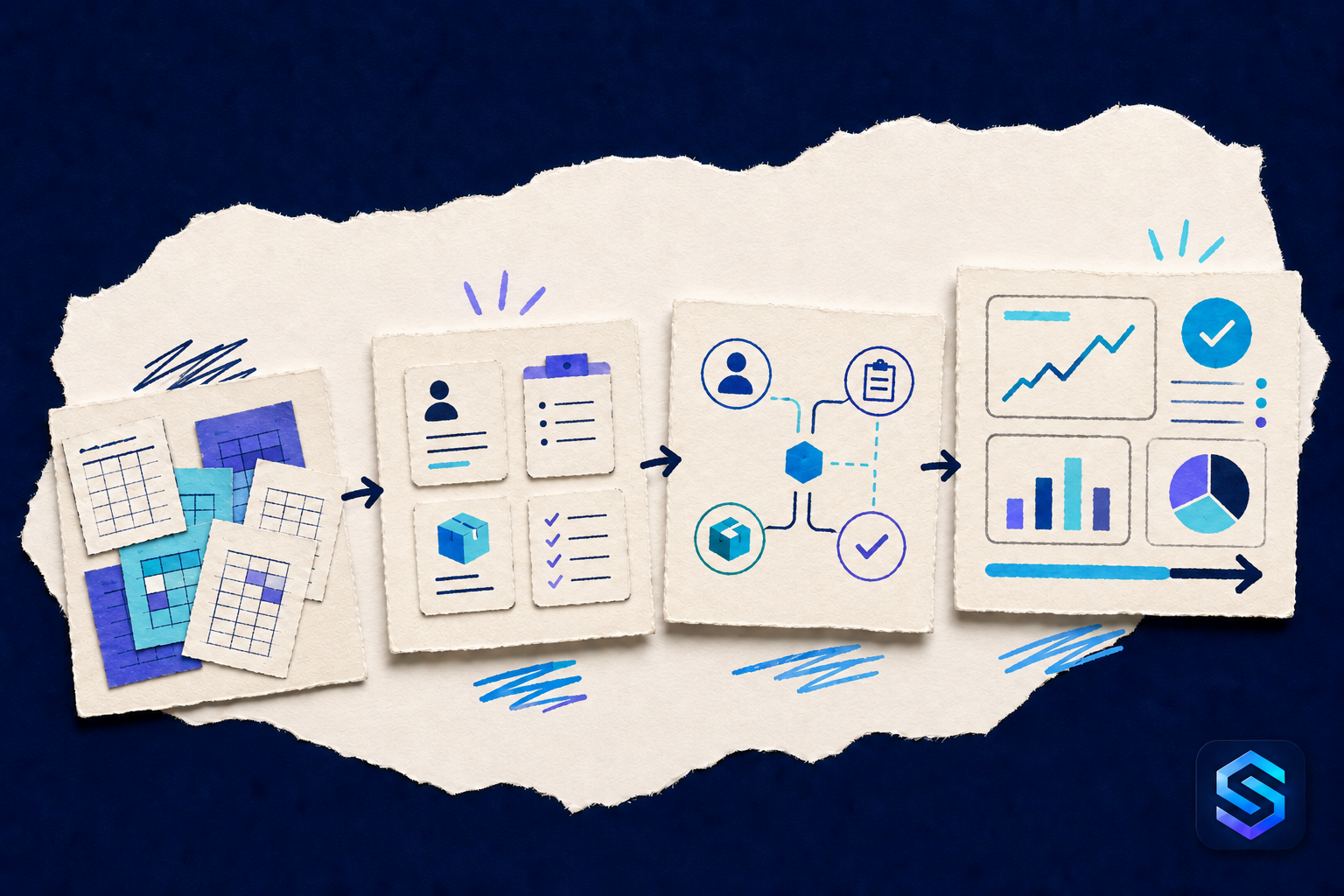
The search for small business management software in Quebec rarely begins as a technology project. It usually begins when a way of working that once seemed adequate becomes difficult to sustain.
The customer spreadsheet no longer agrees with the quotation spreadsheet. Inventory is corrected in one file but not another. Follow-ups live in one person's inbox. Employees in the field call the office for information that already exists somewhere. At month-end, someone pulls several sources together and tries to reconstruct what actually happened.
Excel is not the problem. A spreadsheet remains an excellent tool for analysis, calculation, and exploration. The problem appears when a collection of files quietly becomes the company's operating system without ever having been designed for that responsibility. If that boundary is still unclear, this balanced comparison of Excel and business management software offers practical decision questions.
Choosing the right solution is therefore not about finding the product with the most features. It is about finding one that can take over the responsibilities that have become too important for isolated files while respecting the reality, resources, and pace of a Quebec small business.
Recognize When Excel Is No Longer Enough
A company does not need to abandon spreadsheets when it reaches an arbitrary number of employees. Dependence and risk are more useful signals.
It may be time to evaluate management software when several of these situations keep recurring:
- multiple copies of the same file circulate and no one knows which one is current;
- only one person understands the formulas, hidden columns, or workbook logic;
- the same customers, products, prices, or addresses are entered in several files;
- a copy-and-paste error can alter a quotation, order, or management report;
- permissions amount to giving someone access to the entire file or none of it;
- it is difficult to know who changed important information and why;
- employees search email, shared folders, and notes to reconstruct one case;
- producing a management overview requires substantial manual work every time.
These symptoms indicate that the information is no longer used only for thinking and analysis. It is coordinating the work of several people. At that point, relationships between records, access rights, history, and process steps matter as much as the data itself.
Management Software, CRM, or ERP: What Do You Actually Need?
These categories overlap, and vendors do not always use the terms in the same way. Start with the responsibilities that need to be covered rather than the label on the product.
A CRM generally focuses on prospects, customers, communications, opportunities, and sales follow-ups. It may be enough when the main problem occurs before the sale or within the customer relationship.
An ERP usually connects several business functions, such as sales, purchasing, inventory, operations, projects, production, or finance. It becomes relevant when information needs to move between departments without being re-entered.
Business management software is a broader term. It may describe an industry-specific application, an adaptable platform, a project-management system, or a complete ERP.
The useful question is therefore not “Do we need an ERP?” It is: “Which information and process steps must remain connected for our business to operate properly?”
Start With Friction, Not a Feature List
Before attending demonstrations, select three to five real scenarios that consume time or create risk. Describe each one from beginning to end with the people who do the work.
For example:
- A customer requests a quotation, accepts it, and the work must then be scheduled and invoiced.
- A technician visits a site and needs to know the equipment, previous work, and required parts.
- A product is ordered, received, moved, sold, and counted.
- A project's scope changes and the team needs to understand the effect on dates, resources, and budget.
For each scenario, record who participates, what information is created, what must be approved, what must remain private, which documents are produced, and how the manager knows that the work is complete.
This short process map is a stronger foundation than a list of hundreds of checkboxes. It also lets you assess a demonstration using your own cases instead of the vendor's ideal scenario.
Seven Criteria for Comparing Solutions
1. Does the Software Match the Real Work?
A solution should represent the things that matter to the company: customers, sites, equipment, employees, products, projects, visits, orders, or contracts. It should also preserve the relationships between them.
If your team must work around the system's vocabulary, put essential information into long notes, or maintain a parallel spreadsheet from the beginning, the gap between the software and the actual work is probably too wide.
2. Does It Create a Shared Source of Information?
Replacing Excel does not accomplish much if every department adopts a different isolated application. Check whether an update made in one place becomes available wherever it is needed, without another round of data entry.
A customer address change should, for example, be available to the next records and documents that use that address. Completed work should remain connected to the customer, the site, the people responsible, and the parts used. The goal is not to place everything on one screen, but to maintain one coherent context.
3. Can It Adapt Without Becoming a Programming Project?
Small businesses change quickly. They add a service, revise an approval, or begin tracking information that did not matter six months earlier.
Ask which changes an administrator can make without outside help: adding a field, changing a list, creating a view, adjusting a form, or connecting a new type of record. Also ask what requires a consultant, custom code, or an expensive upgrade.
Flexibility is not an end in itself. A system so open that every user invents a separate method can recreate the disorder of spreadsheets. The goal is a balance between adaptability and shared rules.
4. Are Access Controls and History Precise Enough?
In a shared file, it is often difficult to separate what someone may view from what they may change. A management system should assign access according to responsibilities and preserve a useful history of important changes.
Evaluate user management, roles, authentication, activity logs, backups, and recovery. For personal or sensitive information, clarify where data is hosted, who can access it, how it can be exported, and how it is deleted. These answers must fit the obligations and policies your organization has identified; a general statement about “compliance” is not a substitute for that review.
5. Can Your Data Enter, Leave, and Remain Useful?
Migration often begins with Excel or CSV files. Ask how data will be cleaned, deduplicated, validated, and connected before import. A fast import that reproduces every existing inconsistency does not solve the underlying problem.
Review export options as well. You should be able to retrieve your data in a usable format, produce the documents you need, and maintain an exit strategy. Integrations with accounting, ecommerce, payroll, or other tools should be assessed against your real information flows, not simply because an application's logo appears on a marketing page.
6. Is Implementation Realistic for Your Team?
The best product on paper can fail if no one has time to configure it, clean the data, and support users through the change.
Ask who will own the project, which steps are included, what training is offered, in which language, and what happens after launch. A Quebec small business may also value support in its time zone and the ability to work in French as well as English.
Prefer a plan that delivers one useful improvement early and expands from there. A phased implementation reduces risk and lets the team adjust the system based on real experience.
7. What Is the Total Three-Year Cost?
The monthly per-user price is only one part of the cost. Add configuration, data import, integrations, training, support, options, storage, and future changes. Include the internal time devoted to the project.
Compare that amount with costs that are often hidden in the current process: duplicate entry, corrections, searches, rebuilt reports, missed follow-ups, and dependence on one person. The purpose is not to justify any purchase. It is to compare two complete costs instead of comparing a visible subscription with disorder that has become familiar.
The Particular Reality of a Quebec Small Business
Software used in Quebec must be evaluated in the context where the company actually operates.
Are the interface, document templates, fields, communications, and support available in the languages required by employees and customers? Can amounts, dates, addresses, and taxes be represented correctly? Does the system connect with the accounting and administrative tools already in use? Do its hosting, security, retention, and information-access practices meet the requirements your organization has established?
Do not assume that software described as “Canadian,” “cloud-based,” or “ERP” automatically answers these questions. Request precise responses, include them in contractual documentation when they matter, and have legal, tax, or accounting issues validated by the appropriate professionals.
Team size also matters. A small business rarely has a department dedicated to implementation. The solution must be manageable with the available resources and remain understandable after the consultant or employee who led the project has moved on.
Four Industries, Four Forms of Management
Small-business requirements become clearer when viewed in their operational context.
Plumbing Contractor
A plumbing company needs to connect the customer, service address, systems on site, appointments, work orders, materials, photos, and follow-ups. The right software prevents the technician from starting from zero on every visit and helps the office retrieve the site's history. See an example of management software for plumbing contractors.
Landscaping and Snow Removal
Here, the season, property, site access, crew, equipment, estimate, and visits are closely related. A summer workflow is not identical to a snow-event workflow. The solution needs to preserve shared context while allowing different checklists and information for each service. See an example of landscaping and snow-removal management.
Small Manufacturer or Workshop
A workshop may need to connect products, specifications, bills of materials, work centres, production orders, instructions, and inspection results. Its needs often extend beyond simple task tracking without necessarily justifying the complexity of a system designed for a multinational manufacturer. Explore an example of management software for small manufacturers and workshops.
Distributor or Wholesaler
A distributor must keep products, price lists, orders, warehouses, stock movements, purchasing references, and documents connected. Poorly synchronized information can travel quickly from a sale to order preparation. See an example of distribution and wholesale management.
These examples show why a broad search for “Quebec small business ERP management software” should lead to a second question: which part of your operation needs structure first?
A Simple, Defensible Selection Method
To compare candidates consistently, prepare a short scorecard and assign a weight to each criterion. Your team might evaluate:
- fit with the three priority scenarios;
- quality of the relationships between records;
- ease of use for each role;
- access control and traceability;
- import, export, and integration options;
- adaptability by your own team;
- implementation and training effort;
- total three-year cost;
- quality of support and documentation;
- dependence on the vendor or a consultant.
Ask every vendor to demonstrate the same scenarios with representative data. Record the number of steps, the workarounds proposed, and any questions left unanswered. An impressive demonstration matters less than a daily workflow that is simple and understandable.
Migrate Without Replacing Everything in One Day
Moving beyond Excel does not mean deleting every spreadsheet immediately. A careful transition can follow five steps:
- select one priority process with a clearly identified owner;
- inventory the files in use and identify the most reliable source for each type of data;
- clean a sample, define entry rules, and test the import;
- run the new process with a small group and measure the friction;
- migrate the remainder, archive old versions as read-only, and document the new way of working.
For a period, Excel may continue to support one-off analysis or migration controls. What should disappear is uncertainty about where the official information lives.
Questions to Ask Before Signing
One last set of questions can expose limitations before they become expensive:
- Can you show us our most difficult process from beginning to end?
- Which demonstrated capabilities are included in the proposed offer?
- What must be configured or developed specifically for us?
- Who owns the data, and how can we export all of it?
- How are backups and recovery handled?
- How are access rights and changes tracked?
- What happens if our user count or data volume grows?
- How much time will our team need to devote to implementation?
- What support is available in French and English?
- Which additional costs might arise over the next three years?
Clear answers do not guarantee success, but vague answers identify the areas that need further investigation.
Choose a System the Business Can Actually Sustain
The right solution is neither the largest ERP nor the least expensive application. It is a system structured enough to create reliable information, adaptable enough to follow the business, and simple enough to be used every day.
For a Quebec small business, the strongest starting point is concrete: one important process, a few real scenarios, weighted criteria, and a phased migration. This approach replaces spreadsheets where they have become risky without losing their value for the analysis they still do well.
Good management software does not transform a company by itself. It gives the team a shared place where its work, decisions, and history can finally remain connected.